◆ For architects, designers and students

From sketch to a client-ready render

An Arabic-first AI studio that turns your sketches and models into photorealistic renders while keeping your design lines — on your own GPU or in the cloud.

🔒 Encrypted HTTPS ☁️ Cloud — no GPU needed 🖥️ Or on your own GPU 📱 One device per account
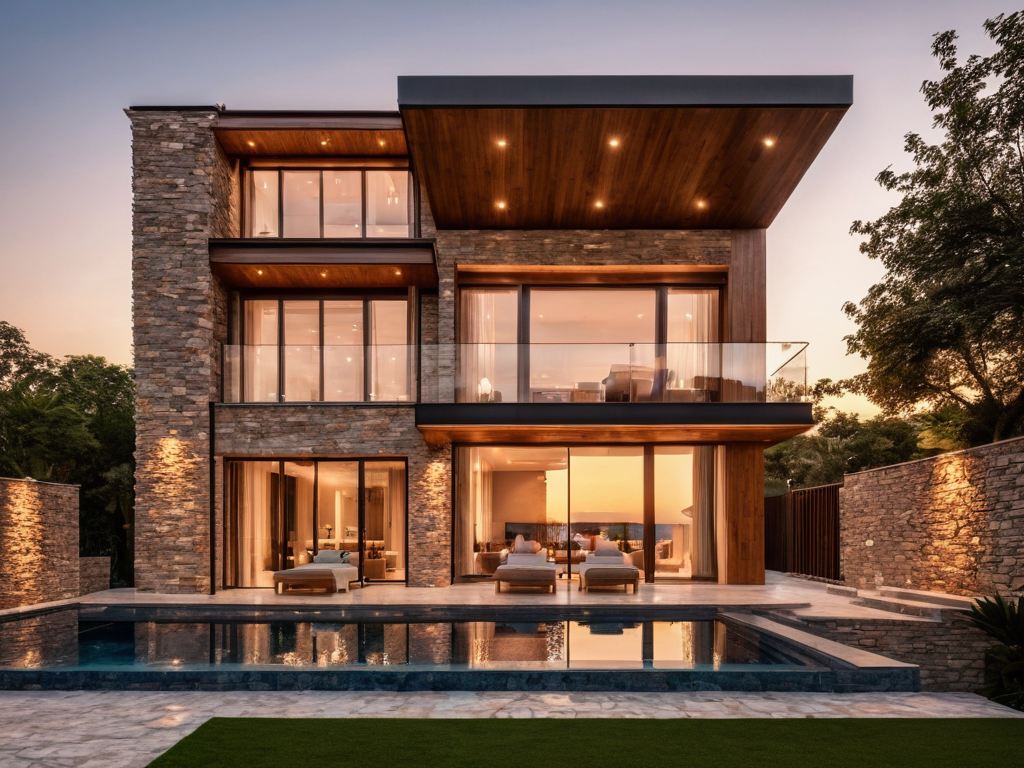
Exterior render of a modern villa with a pool at sunset
✏️
Keeps your linesControlNet from the sketch
⚡
On your GPUSDXL and Flux locally
Features

Everything from idea to presentation

Tools built for an architect's workflow — not a generic image generator.

🎨

Render from a sketch

Upload a sketch or a model view and get a realistic render — the design stays the same thanks to ControlNet.

🖌️

Editing studio

Select any part of the image and edit it: change a material, add an element, or switch between day and night.

🧱

Real materials

High-resolution material photos applied to surfaces while keeping shadows and architectural detail.

🪑

3D furniture & lighting

Place furniture and lights, rotate them inside the image, then blend them into the render.

📍

Site analysis

Climate, sun, wind, land use and terrain — with diagrams and a ready PowerPoint deck.

📚

Model library

One-click model installs, with a check that tells you what really runs on your GPU.

☁️ Cloud studio

No graphics card? No problem

The world's strongest models run on our servers — no install, no model downloads, no API keys. Pay credits only for what you generate; if a job fails, the credits come back automatically.

Nano Banana Pro · GoogleSeedream 4.5 · ByteDanceFLUX.2 Pro · BFL Qwen-Image 2.1 · AlibabaGPT Image 1.5 · OpenAIZ-Image Turbo Kling 3.0 · videoTopaz · ×4 upscale
✏️ Sketch → render

Upload a sketch or model view and the model turns it into a realistic render while keeping the design.

🎬 Render → video

Turn any render into a camera-move video (orbit, dolly, flyover) for your client.

⬆ Upscale for print

Upscale ×4 with sharp detail for boards and posters.

The name

GUDEAH — from the first architectural plan in history

Gudea ruled the Sumerian city of Lagash in southern Iraq around 2100 BC. His best-known statue, “Gudea the Architect”, sits with the plan of a temple and a measuring rule on his lap — one of the oldest architectural drawings known.

Four thousand years later we do the same job: start from an architect’s lines and turn them into a building you can see. The H stands for House — architecture begins with a home.

How it works

Three steps to start

Activate your account

Get an activation code from us and create your account with email and password.

Cloud or local

Start right away in the cloud studio with credits, or install ComfyUI once for local rendering.

Upload and generate

Upload the sketch, pick the model and light, and the render is ready in seconds to minutes.

Requirements

What you need

🖥️ Hardware

  • An NVIDIA GPU with 8 GB or more (tested on RTX 3070 Ti)
  • Windows 10 or 11
  • A recent Chrome or Edge
  • Disk space for models (7–25 GB depending on your picks)

🔐 Account & privacy

  • An activation code sets your subscription length; renew with a new code
  • Your plan sets how many devices can be signed in at once
  • Local renders stay on your machine — your images are not uploaded
  • All traffic is encrypted (HTTPS)
FAQ

Questions?

Why do I need an activation code?

Accounts are subscriptions. Each code activates a period; when it ends, enter a new code from your account menu and the days are added.

Are my drawings uploaded?

No — local renders run entirely on your machine through ComfyUI; the site only checks your account. If you choose a cloud engine, the image is sent to that engine only.

Can I use two devices?

Depends on your plan. By default one device at a time — signing in elsewhere signs the first device out.

I don't have a strong GPU — can I use it?

Yes — the cloud studio works from any device, even a phone: top up credits and generate with the strongest models, nothing to install. Free local rendering needs an NVIDIA GPU with 8 GB or more.

How do I buy credits?

Contact us (WhatsApp or Telegram), pay, and you get a top-up code that adds credits instantly. Credits are only spent on jobs that succeed.

Forgot my password?

Contact us for a new password, then change it from your account menu.

Ready to turn your sketch into a render?

Activate with your code and start now.